

Connecting an ASIC Miner to AMS
To connect devices to AMS, you first need to perform the following steps:
Register an account on the website ams.bixbit.io
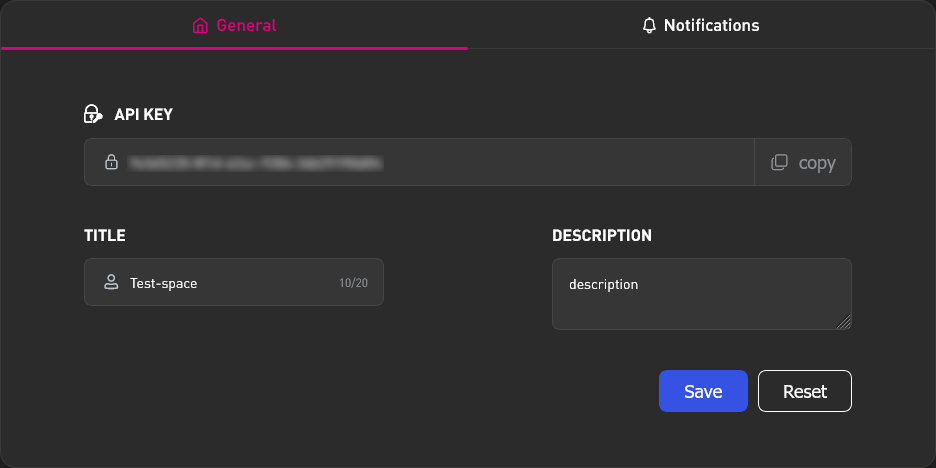
Create a Workspace in your AMS personal account
In the created space, go to the "Workspace" tab
Copy the API key. This key will be used to connect devices later.
Antminer ASIC
On BiXBiT Firmware
- In the device's web interface, go to the "AMS" tab.
- Enter the previously copied AMS Workspace key into the "API key" field.
- Click the Install button.
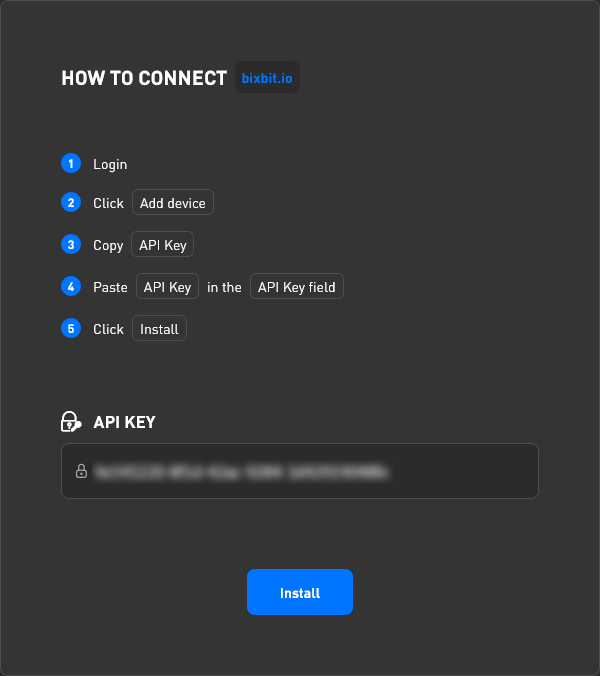
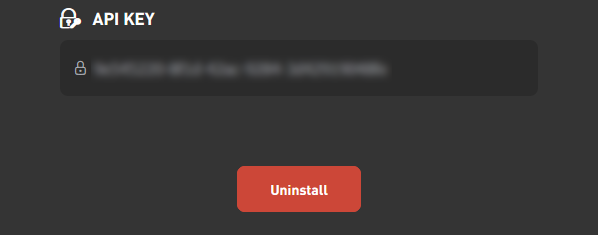
- Wait until the Install button is replaced by the Uninstall button. After that, the device will appear in the "Miners" tab.
On Stock or Third-Party Firmware
To be added with the release of AMS Hub.
Whatsminer ASIC
On BiXBiT Firmware
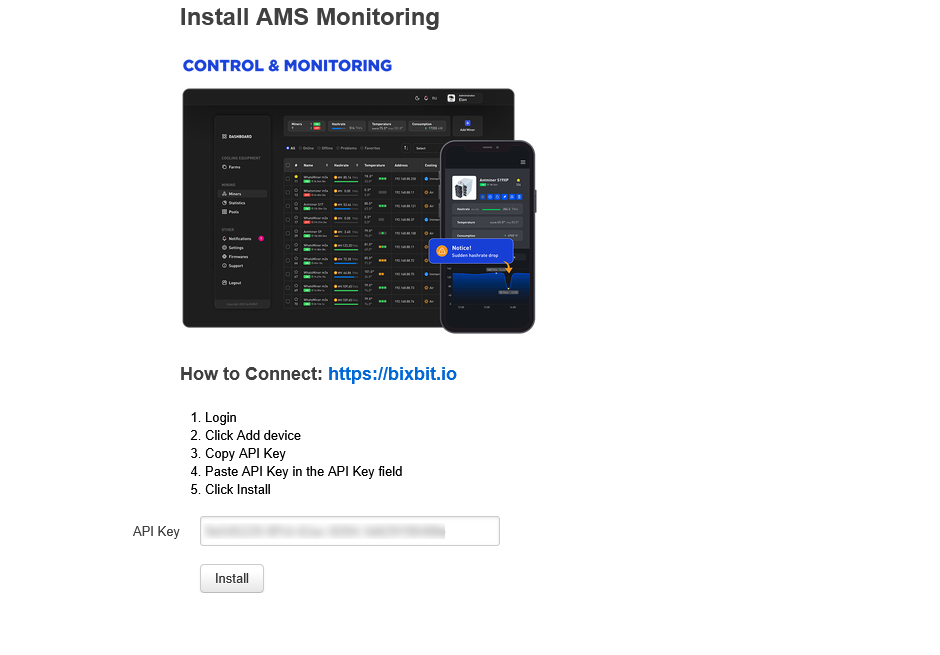
- In the device's web interface, go to the "AMS (control & monitoring)" tab.
- Enter the previously copied AMS space key into the "API Key" field.
- Click the Install button.
- Wait for the "Installed" message. After that, the device will appear in the "Miners" tab.
On Stock or Third-Party Firmware
To be added with the release of AMS Hub.
Other ASIC Miners and Devices
To be added with the release of AMS Hub.